
How to Record Your Own Stories on the Yoto App (And Why It's One of My Favourite Parenting Hacks!)
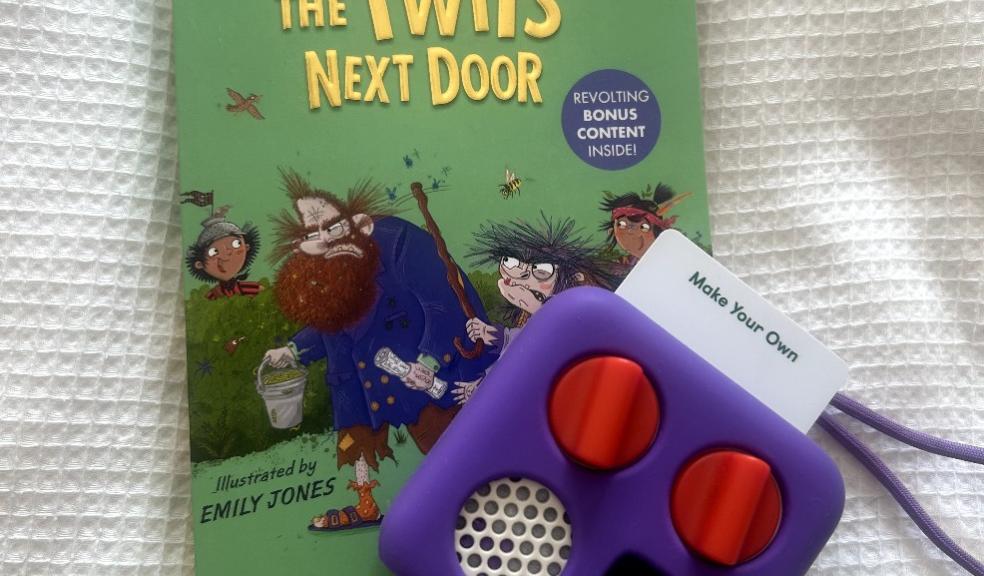
While we’ve picked up a few of the pre-recorded story cards, one of the features I was most excited about was the ability to record your own stories using the Yoto app and blank cards. If you’ve ever thought about doing this too, here’s a step-by-step guide — plus a few real-life tips from our own experience to make it even easier.
🌟 Why We Love the ‘Record Your Own’ Feature
Storytime is huge in our house. We love discovering new books and reading together every evening. My children also fall asleep most nights listening to audiobooks, so being able to record myself reading their favourite stories feels like such a special thing. It’s something they can treasure for years to come — even when I’m not around to read it to them in person.
📱 How to Record Your Own Stories Using the Yoto App
1. Download the Yoto App and Create an Account
If you haven’t already, get the Yoto app from your app store and set up your account. Super easy and quick.
2. Go to ‘Library’ in the App
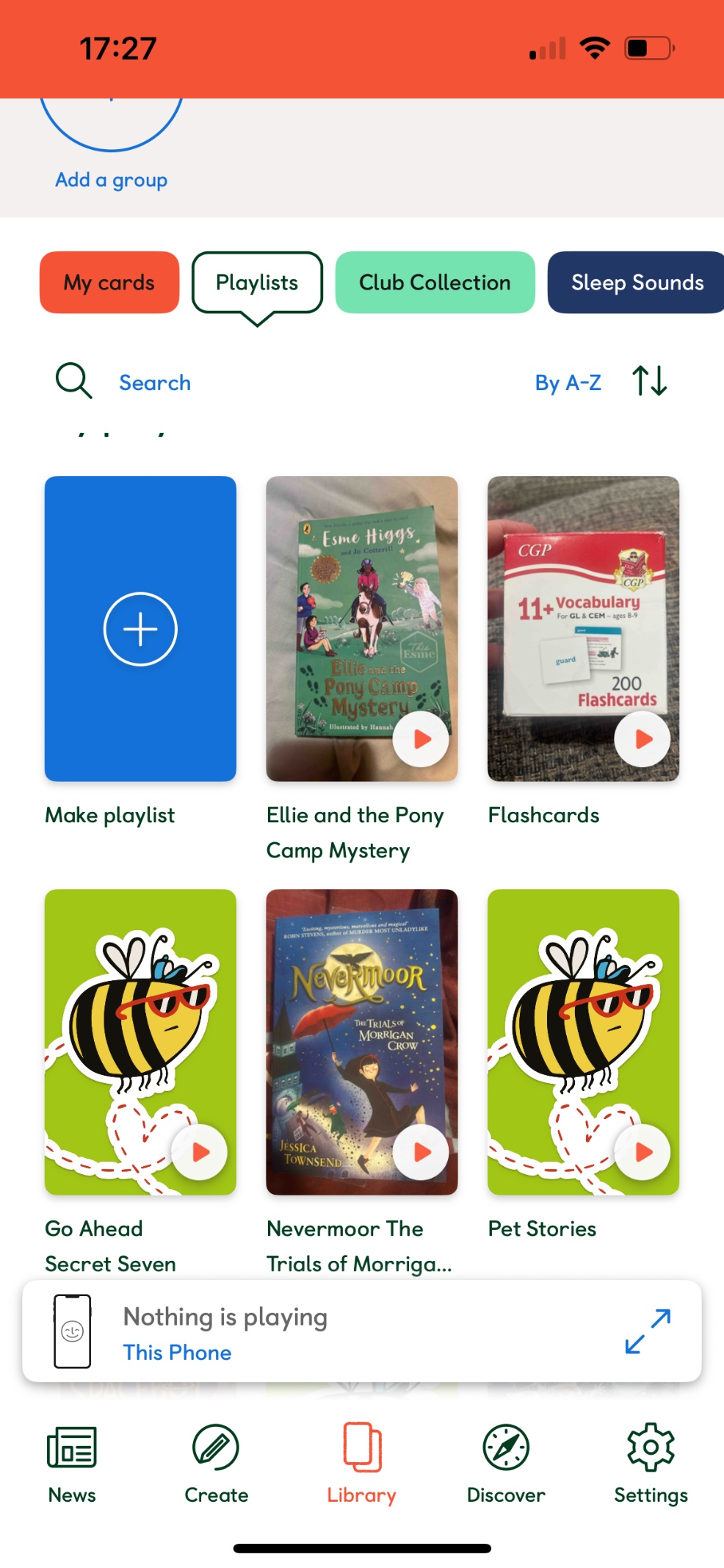
At the bottom of the screen, tap on ‘Library’. This is where everything lives — including playlists and your linked cards.
3. Tap on ‘Playlists’
You’ll see a few tabs across the top like ‘My Cards’, ‘Collections’, and ‘Playlists’. Tap ‘Playlists’, then select ‘Make a Playlist’ to get started.
4. Name Your Playlist
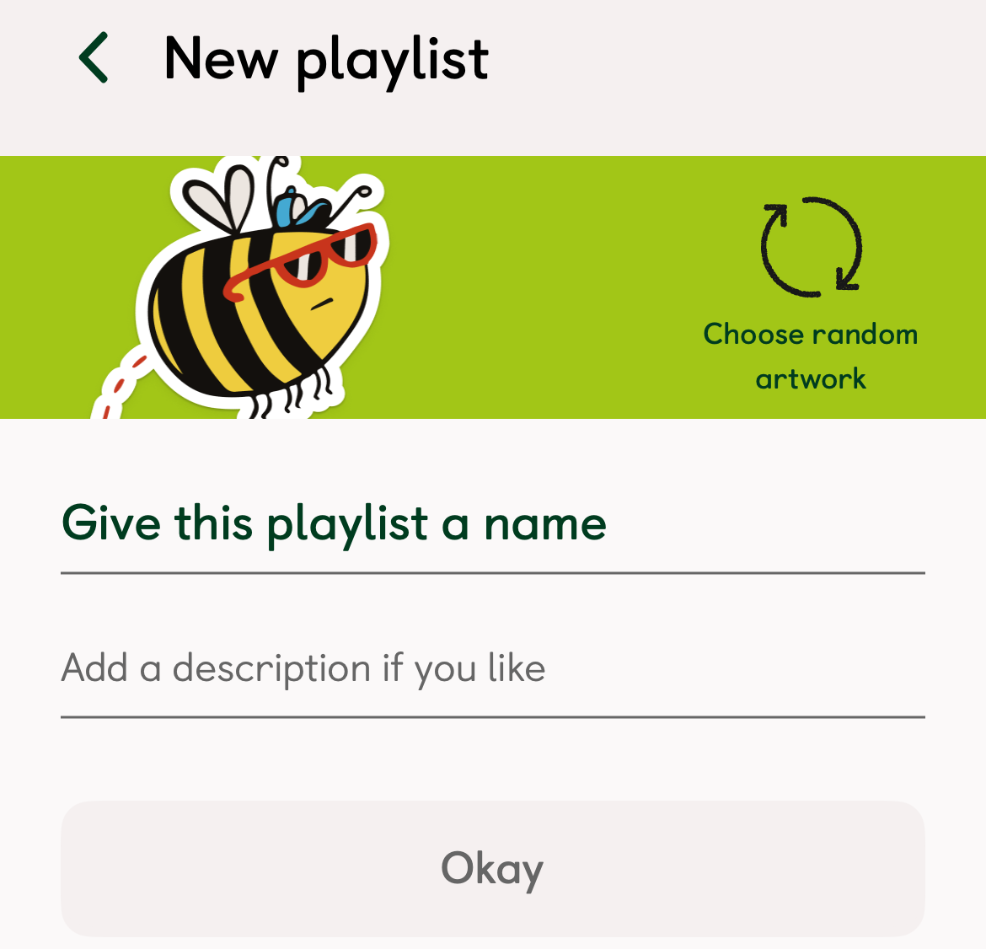
Give your playlist a name (we usually name it after the book title) and write a short description if you want to. You can also change the artwork later — I like uploading a photo of the book cover to make it feel extra special.
5. Add Your Audio
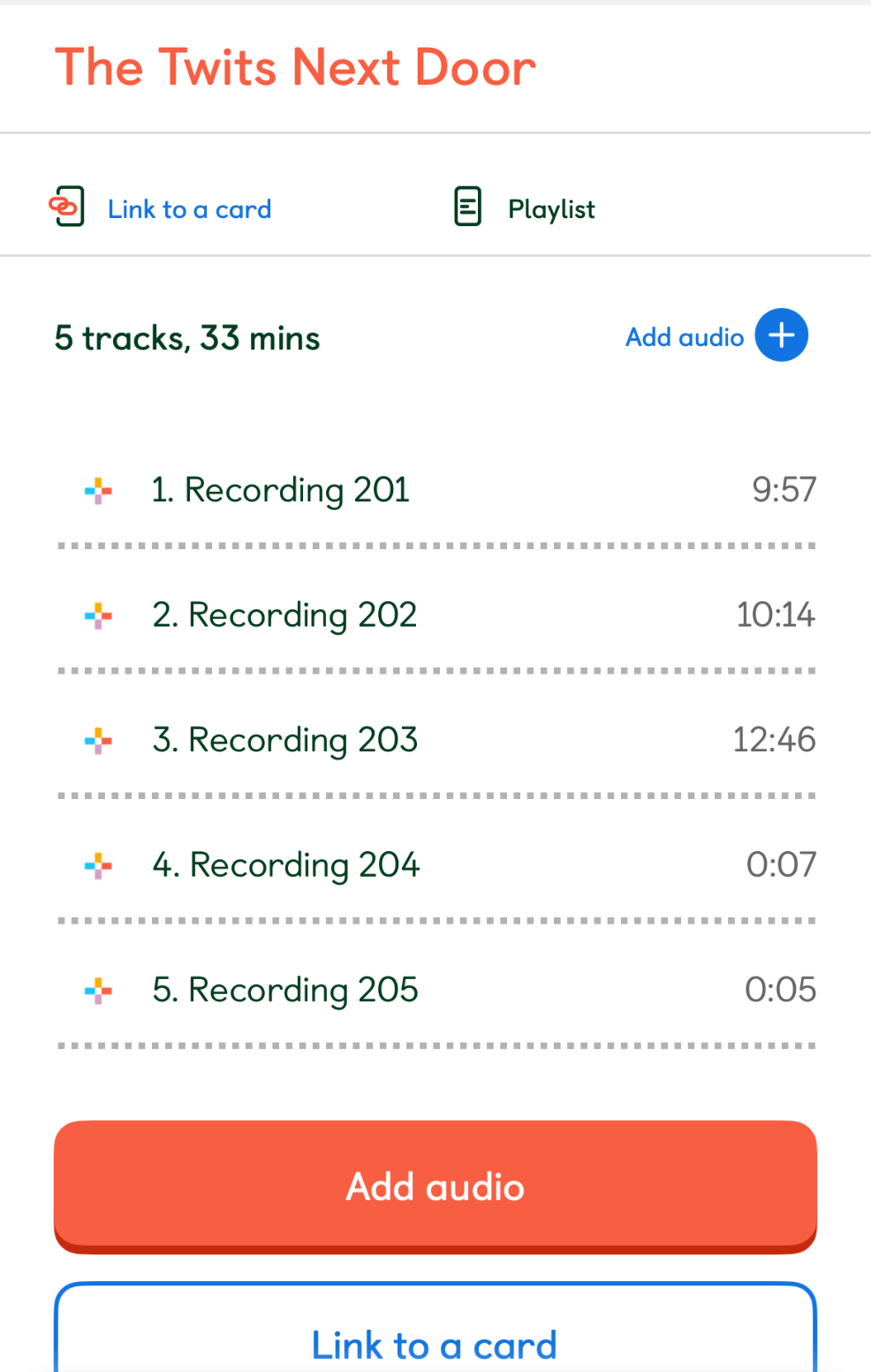
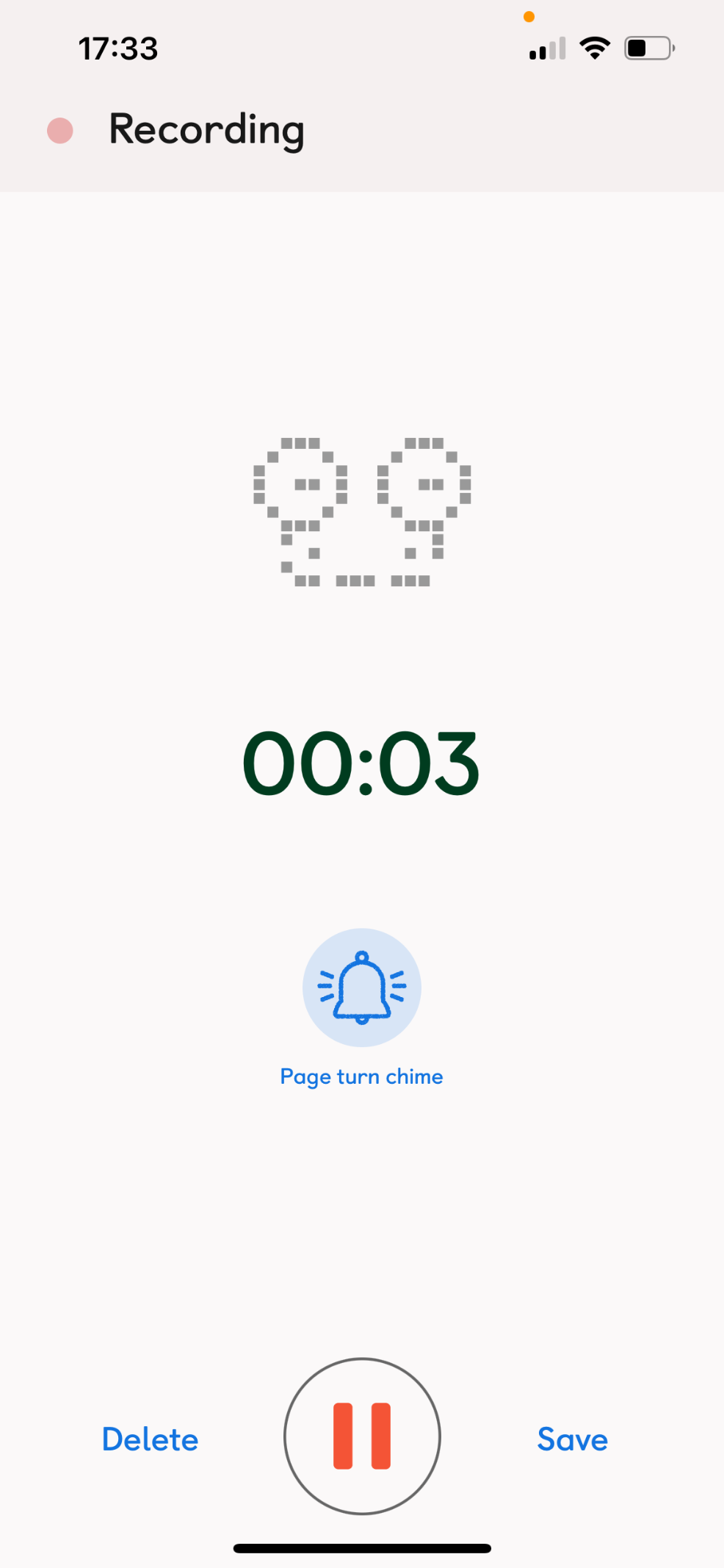
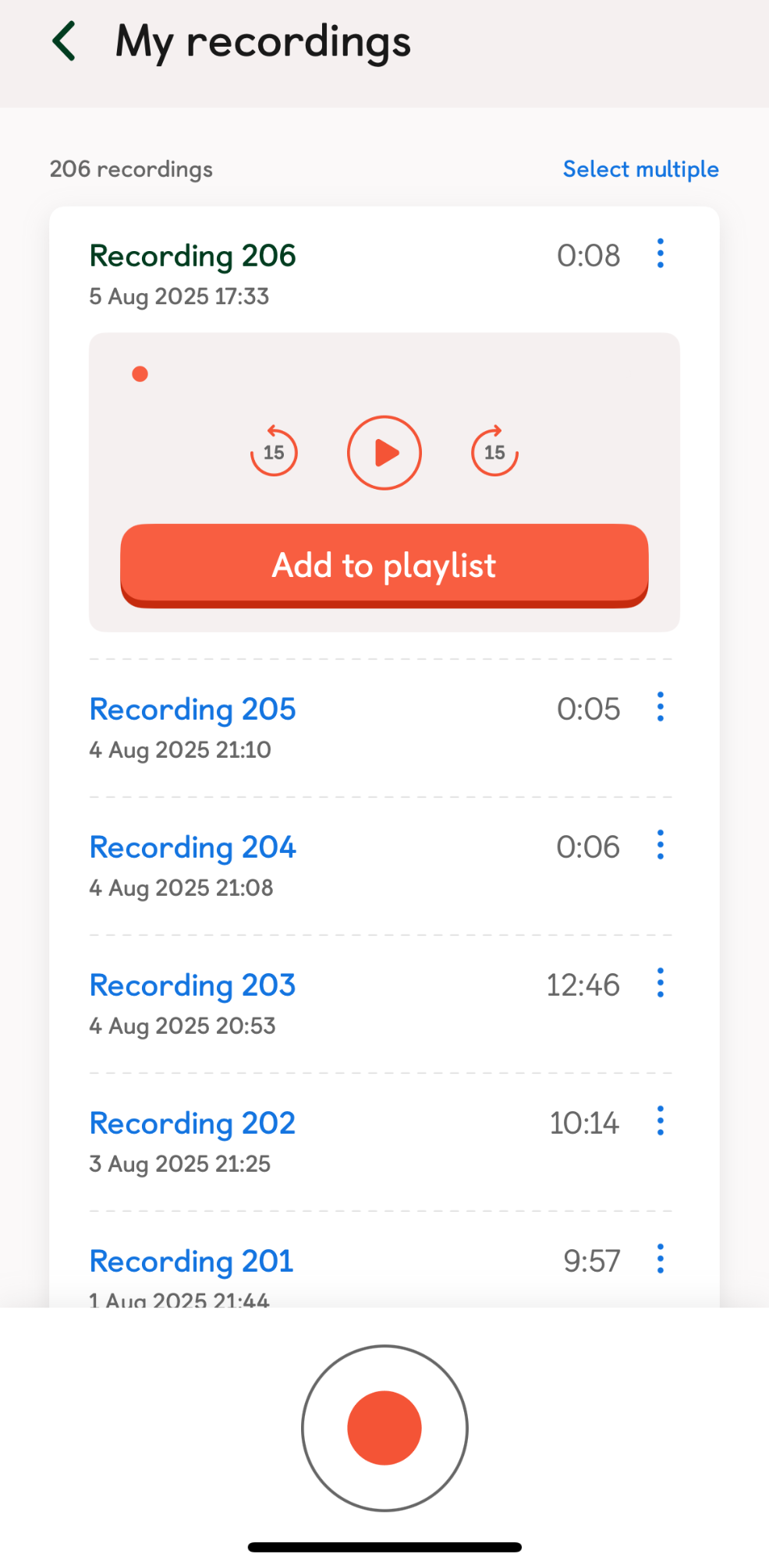
Tap ‘Add Audio’ and then ‘Add new or existing recordings’. From here, hit the black circle with a red dot to start recording. Don’t worry — there’s a 3-second countdown so you can compose yourself!
6. Start Reading
Now it’s time to read your story! I usually record anywhere from a couple of minutes to 30 minutes, depending on the book. When you’re finished, press Pause, then Save.
7. Save to Your Playlist
Once you’ve saved the recording, you’ll be asked where to store it. Make sure you select the right playlist you created earlier.
8. Link Your Playlist to a Yoto Card
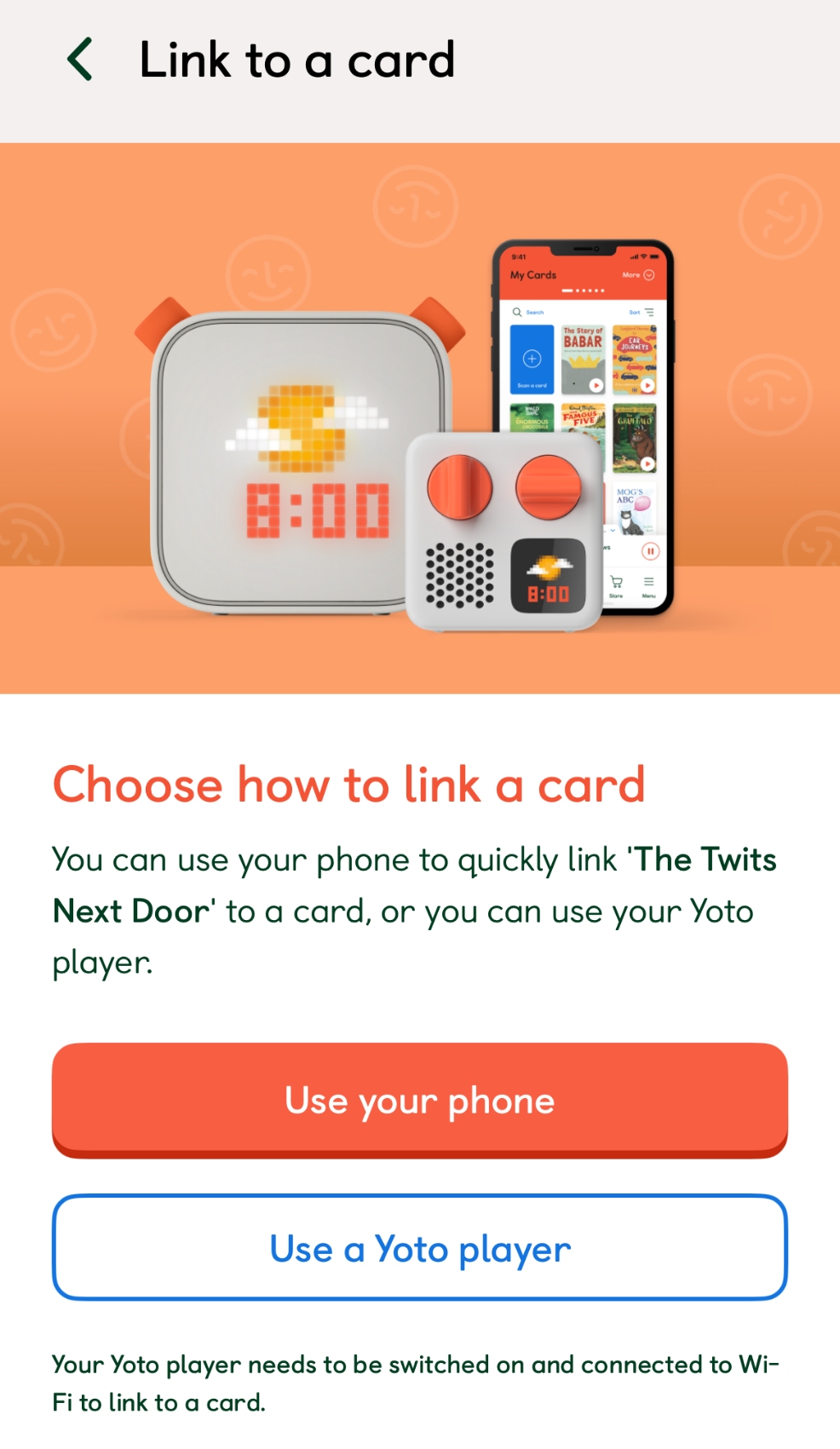
When your playlist is complete, scroll down and tap ‘Link to Card’. I choose the option to ‘Link from my phone’, then just hold my phone over a blank Yoto card and the playlist transfers onto the card like magic. Done!
💡 Real-Life Tips from Our Family
-
Record at bedtime (if your child is okay with it). My daughter loves when I record as I read — it lets her relax and just listen. My son? Not so much — he’s a talker and likes to discuss every page, so it doesn't work as well for him.
-
Find pockets of quiet time. I often record stories in the car while waiting for school pick-up, or late at night when the house is quiet. It’s actually quite a peaceful thing to do — especially if it’s a book I enjoy too.
-
Add a personal touch. Try saying your child’s name at the beginning of the story — it makes the recording feel extra special. My kids love hearing “This one’s for you, sweetheart” before the story begins.
🎧 Why This Feature Is Such a Win for Parents
In a world full of screens and noisy distractions, I love anything that encourages calm, connection, and imagination. The record-your-own feature on the Yoto app ticks all the boxes. It’s easy to use, creates lasting memories, and gets my children genuinely excited about listening to books.
If you're thinking about trying it — do it! It’s one of those small things that really does make a big impact.
Have you recorded your own stories for your little one’s Yoto? I’d love to hear what books you’ve added to your collection — drop me a comment or tag me on Instagram!